
Guide to Accessing Electronic Clinical Quality Measure (eCQM)
Specifications Used in the Merit-based Incentive Payment System (MIPS)
and the Medicare Shared Savings Program (MSSP)
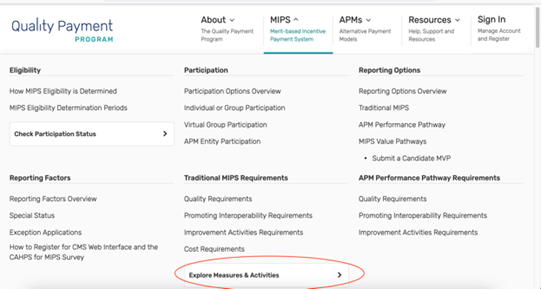
1. Go to the Quality Payment Program web site and select the MIPS dropdown at the top of the page.

2. Within this dropdown, select Explore Measures & Activities.
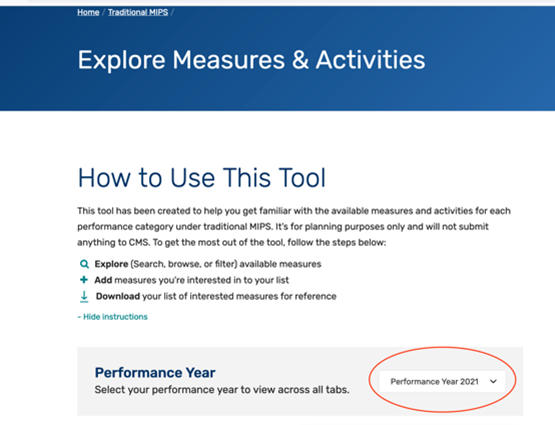
3. You should now be able to search for any measure of interest. Make sure that you selected the correct performance year.
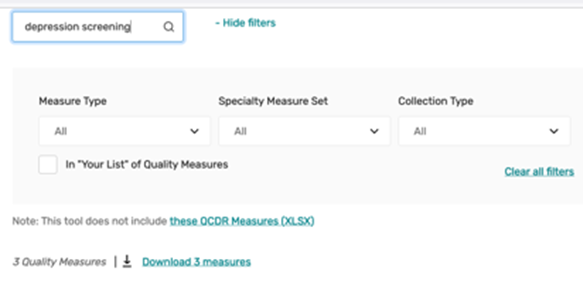
4. Scroll down further on the web page to search for a measure.
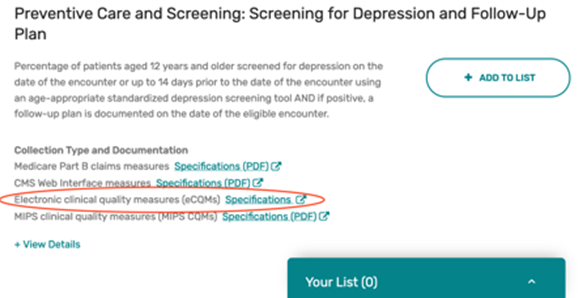
5.Find the measure of interest and select the link to the eCQM specification.
6. This will open up a new tab and take you to the eCQM Resource Center. This is the website where the specifications for eCQMs used in MIPS and MSSP are updated and maintained. The link you selected on the Quality Payment Program (QPP) website will take you to the specification for the measure you selected. In this example, it is QPP 134—Preventive Care and Screening: Screening for Depression and Follow-up.
On this page, you can access general measure information (narrative measure statements for the numerator, denominator, etc., and guidance), specifications and data elements (the human readable logic and value or code sets), and any release notes (summaries of changes made to the measure since the previous release).
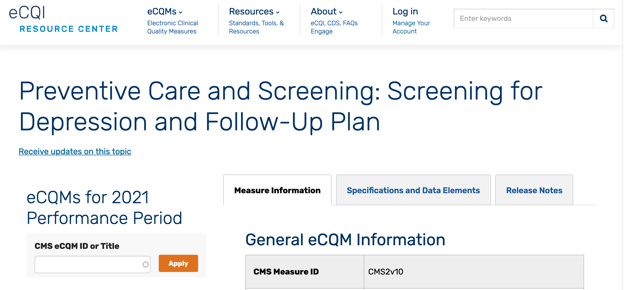
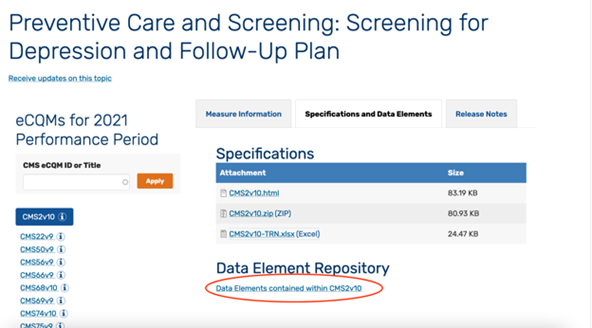
7. Select the Specifications and Data Elements tab.
8. The first attachment under Specifications on the Specifications and Data Elements page will take you to the “human readable” specification. This specification provides general information on the measure in the header (e.g., narrative statements, clinical rationale and guidelines, guidance). The Measure Detail section outlines the individual measure components, the logic used to calculate the measure, and defines which value or code sets are used for each data elements. More information on how to read eCQMs is available.
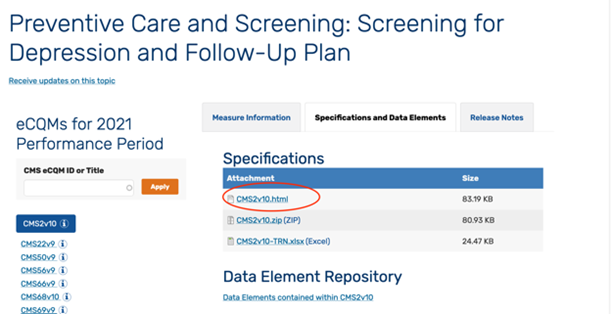
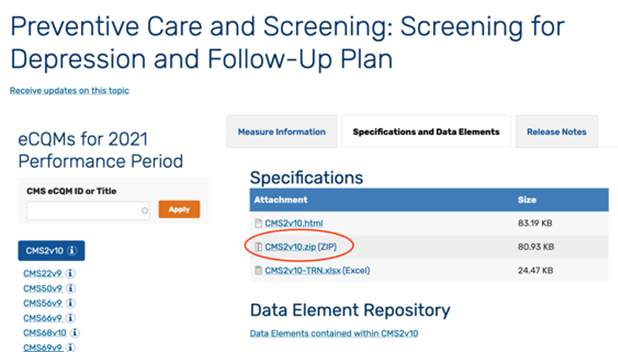
9. The second attachment includes the complete eCQM specification package that can be used by implementers such as electronic health record (EHR) vendors.
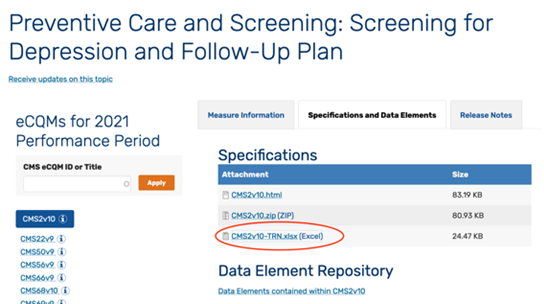
10. The last attachment is an excel file outlining the release notes or changes made to the specification since the last release.
11. The “Data Elements contained within CMS2v10” link under Data Element Repository will take you to detailed information on each data element used in the measure.
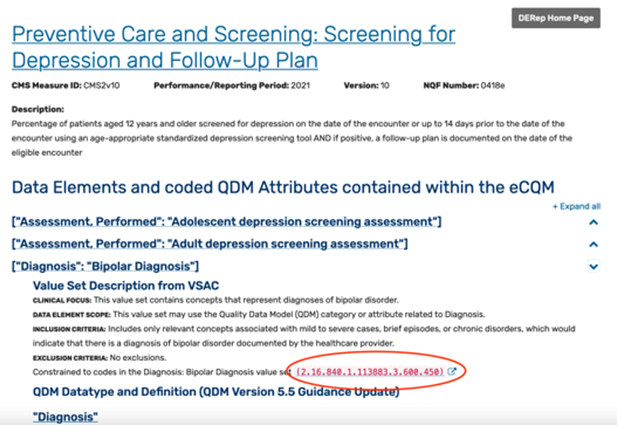
12. To access the value sets or codes associated with each data element, select the hyperlink to the value set. This will take you to the Value Set Authority Center (VSAC).
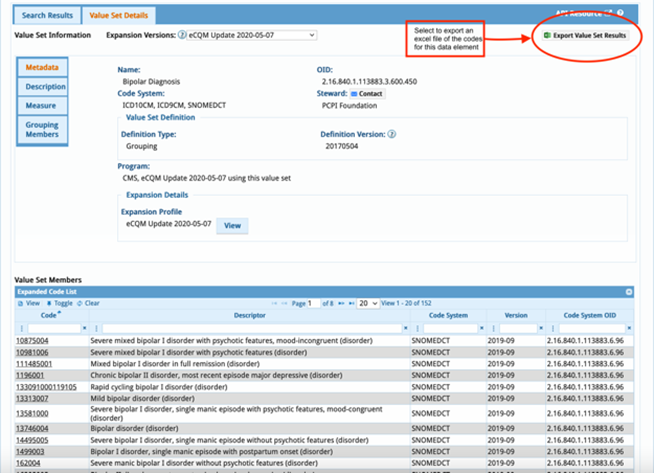
13. Accessing VSAC requires setting up an account with the Unified Medical Language System (UMLS). Once you have successfully logged in, the link from the eCQM Resource Center web page will take you directly to the value set selected. You can view the results on the web site or can export the specific codes used within this value set.
NAACOS continues to advocate for CMS to provide a more streamlined approach to accessing eCQM measure specifications for ACOs. You can learn more about NAACOS advocacy on this issue by visiting our website.